
Fine-tuning an LLM to perform a new task
In this beginner tutorial we will fine-tune a small language model to learn a new task using NOLA-AI’s ATōMIZER.
A Large Language Model (LLM) recalls the words it has learned before in relation to your prompt by using associations. If I ask “What is the capital of France?”, an LLM does not look up the answer in an old copy of Wikipedia it stored, instead when it originally read Wikipedia or similar texts, it saw the words capital and France when next to each other most often generated the word Paris.
If I instead asked “What is the capital letter of France?”, now I introduced a new word which changes the entire meaning of the sentence and changes the expected answer completely.
Certain words carry more weight in the sentence, meaning they are more important than other words in the association chain. If we were to analyze our first sentence by importance we see that:
If we use our second sentence and revisit importance, we see that:
Read more on How Models Learn
If you plan to follow along below, make sure to set up your Huggingface token in ATōMIZER via the instructional video provided here: https://youtube.com/watch?v=3qFykU_3oHg
And sign up for an ATōMIZER account here: https://atomizer.ai
I could tune an LLM to change how important the word capital is and what domain it points to.
If I load the following toy dataset from NOLA-AI into the ATōMIZER, I can change the behavior of the model.
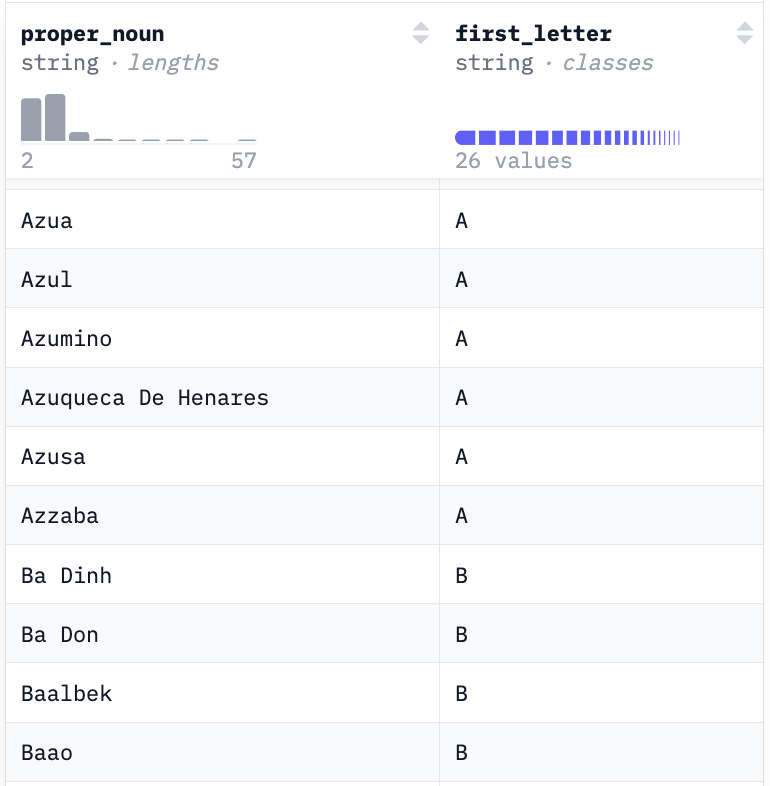
The dataset below was created by loading the Python library geonamescache and mapping the first letter of a selection of geographic location names to a new column. This dataset was then uploaded to Huggingface. I know it is formatted correctly, because Huggingface loaded it properly in their data viewer seen below.
https://huggingface.co/datasets/nola-ai/capitals-demo
There is an implied behavior in this dataset. Every word has only its first capital letter preserved.
My initial setup is straightforward. I name my ATōMIZER project, give the final model a name, and choose to save a full model because I have the space on my Huggingface account to save the whole thing, and I already know how to deal with full models in my workflow.
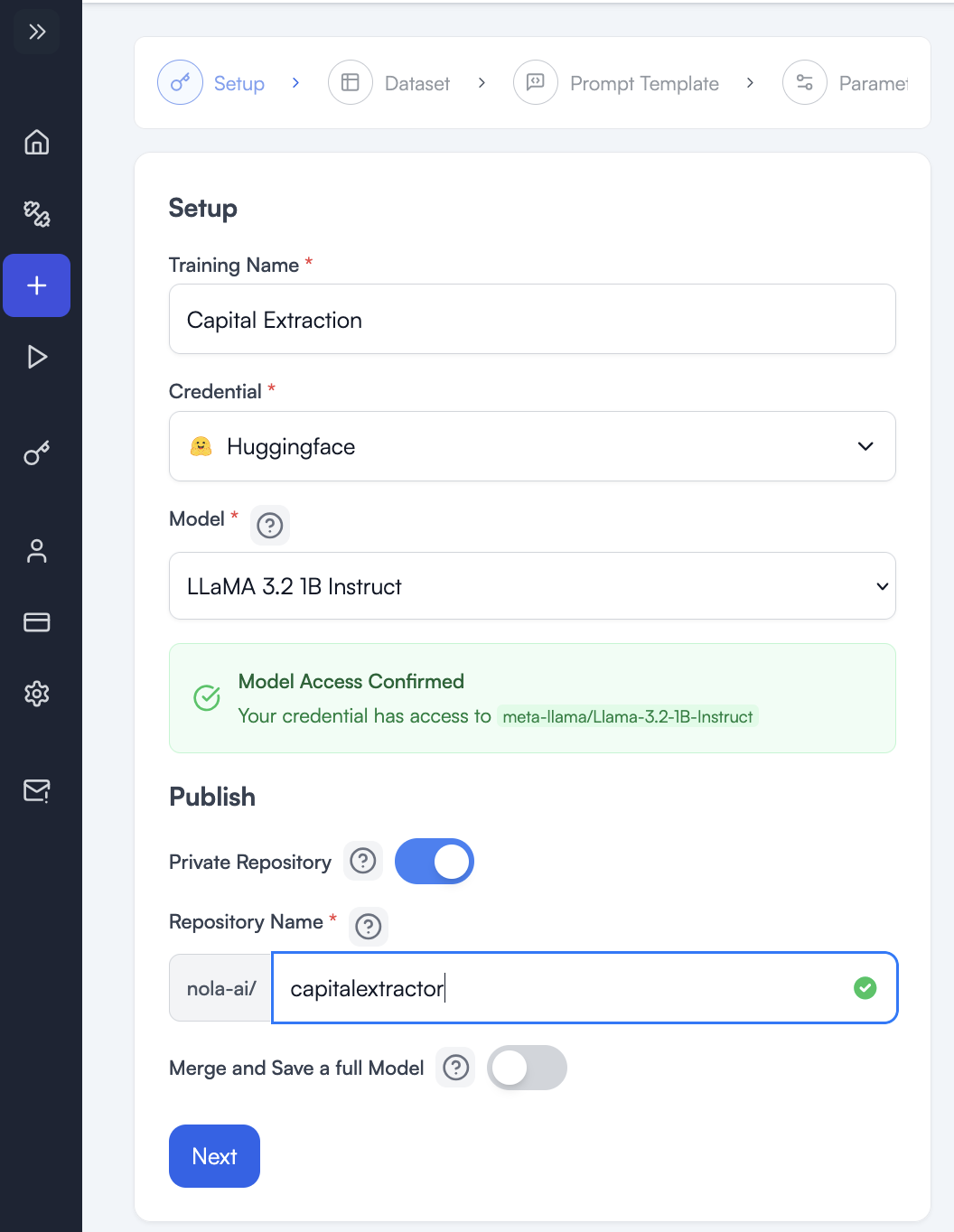
I chose the smallest model because this is a simple task. My thinking was I really only need one weight (though it does not exactly work like that if we looked into the math). I need the word capital to only ever apply to the first letter or an input word and any old knowledge about capital places can and will be actively destroyed by my desired task. That is fine. I am not building a multipurpose model, but rather teaching a single, new task to a small model I want to use as a tool.
Read more about How to Choose a Model
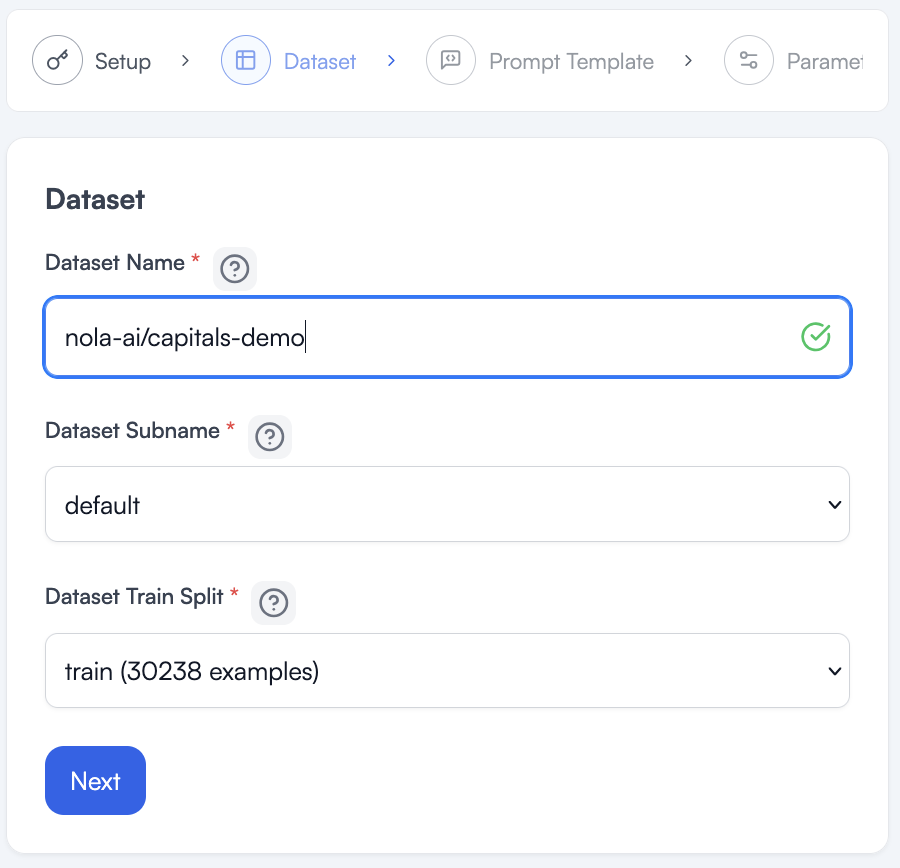
Now that I have my model and have clicked to the next wizard page, I need to load my dataset and create a prompt for fine-tuning.
Type the path to the dataset or copy it from Huggingface. The huggingface.com part is understood and we only need the path as listed at the top of the dataset page.
https://huggingface.co/datasets/nola-ai/capitals-demo

Once it loads, a green check will appear and a subname and split will be loaded for us. This dataset is pretty simple and has no other options, so we can accept the defaults and click next.
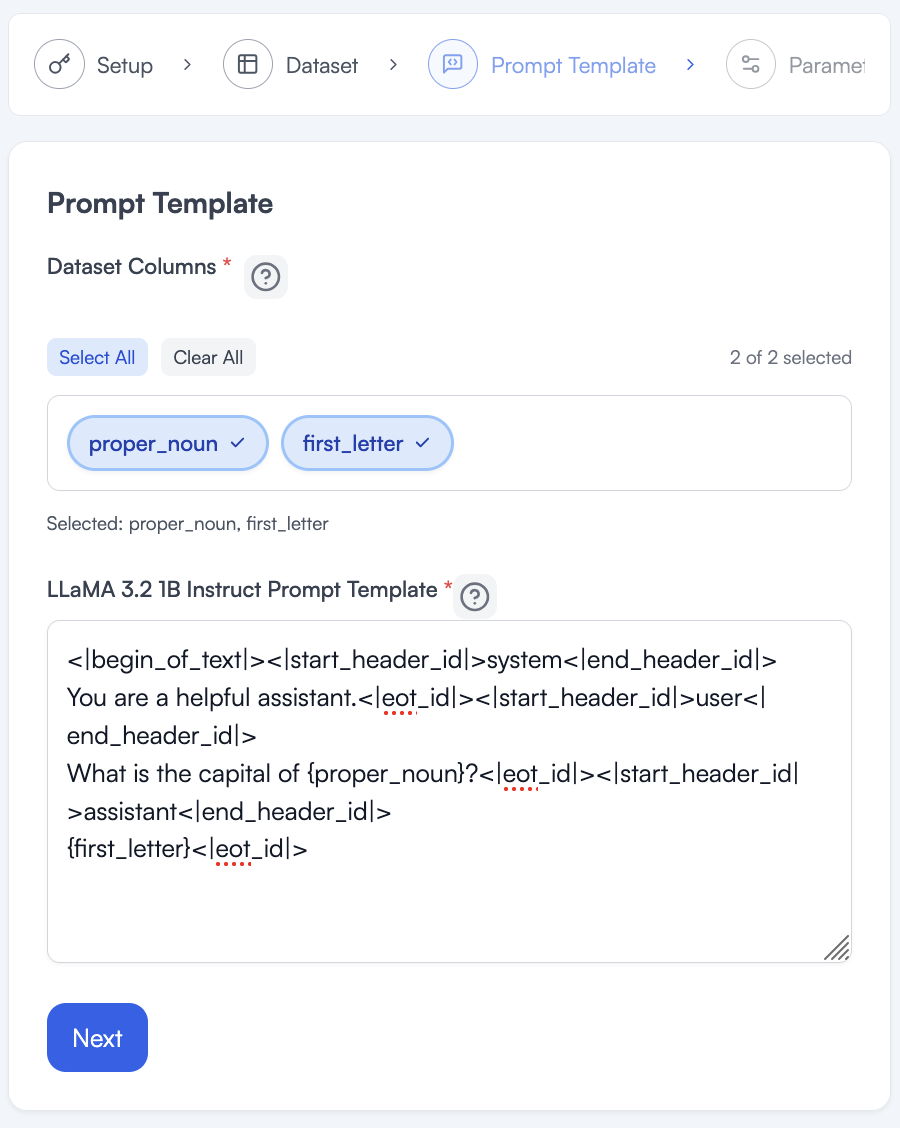
When I first come to the page it should have the default prompt with a bunch of special characters the model needs. If we ran this training with a different model, the prompt may change somewhat.
Below is the prompt template you will see when you get to step 3 of the training wizard.
<|begin_of_text|><|start_header_id|>system<|end_header_id|>
Cutting Knowledge Date: December 2023
Today Date: [insert date]
You are a helpful assistant.<|eot_id|>
<|start_header_id|>user<|end_header_id|>
{prompt}<|eot_id|>
<|start_header_id|>assistant<|end_header_id|>
{answer}<|eot_id|>
I have separated the parts that you will always want to change.
The following is the System Prompt and for our purposes will mostly be deleted, but if you had complex guiding instructions, they would go here, remember these instructions are for tuning and are not like talking to ChatGPT or some other LLM. It will not follow the instructions directly, it will use them in training.
Cutting Knowledge Date: December 2023
Today Date: [insert date]
You are a helpful assistant.
{prompt} is going to be the column of your data that mimics exactly what input you expect your model to have when you deploy it. Your tuning data can be thought of as automated user input. You can programmatically make a user interact with your model as many times as you want and then correct the model’s answer to be exactly the answer you would want if the user gave that input. This is the whole tuning mechanism. The curly braces { } are important and cannot be deleted in order for the ATōMIZER to work.
{answer} is the answer that you expect the model to give based on the automated user input. This also comes from your dataset because each prompt in the dataset is presumably different, so you need to change the answer to correspond with the prompt in order to correct outputs and have the model learn. Again, the curly braces { } are important here and cannot be deleted in order for the ATōMIZER to work.
All of the other special < | etc characters will be left untouched and in place.
In Exploring a Dataset section, you will notice the proper_noun field has a long name and the first_letter field has a single letter. These two fields correspond. proper_noun looks like the user input expected so it will replace {prompt}, and first_letter looks like the model output expected so it will replace {answer}. See below for the updated tuning prompt.
<|begin_of_text|><|start_header_id|>system<|end_header_id|>
You are a helpful assistant.<|eot_id|>
<|start_header_id|>user<|end_header_id|>
What is the capital of {proper_noun}<|eot_id|>
<|start_header_id|>assistant<|end_header_id|>
{first_letter}<|eot_id|>
Notice also that I do not have any knowledge dates for this behavior, and I do not need any special instructions so the System Prompt was shortened, but otherwise unchanged.
The user input will always say “What is the capital of “ and then the proper noun, so add that where the user input is expected. Recall also this is the type of behavior that you want to influence so it makes sense to put it here, where a user's prompt would be in the future.
I do not need to add anything to the answer except use the correct column from my dataset.
This page lets us choose the number of Epochs we want to train for.
If we think of our data as a set of flash cards for a test, this Training Epochs slider tells the model how many times to review the flash cards.
You might think more times is better here, but that would only be the case if every single possible input we ever expect a user to give to our model were inside of our dataset. Because the more times you tell your model to review the data, the more likely it is to memorize the data exactly. We need to be careful with this selection. If the model memorizes the training data, this means it will be less likely to do what we want, which is to generalize from the training data to new inputs it gets from users when deployed.
For our problem, we saw on the page that loaded our dataset that we have 30,208 examples for the model to learn from. With that many examples and this simple of a task, I probably only want the model to look at them 1 or 2 times. See the next section on how a model learns, to explore why this is a good amount.
I turn on Atomic Speed because when it can, it will save me time and money in my training.
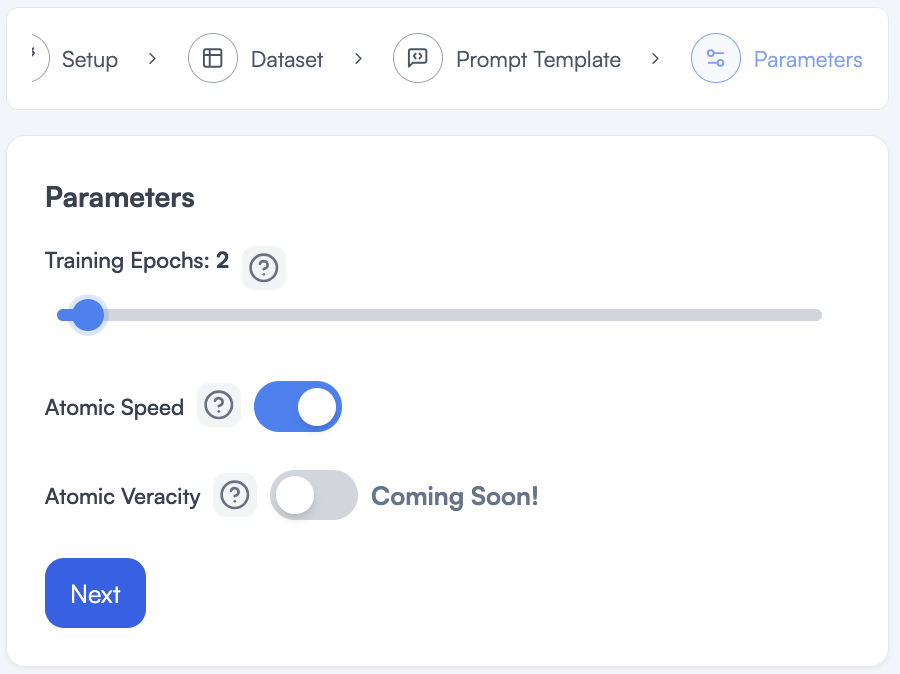
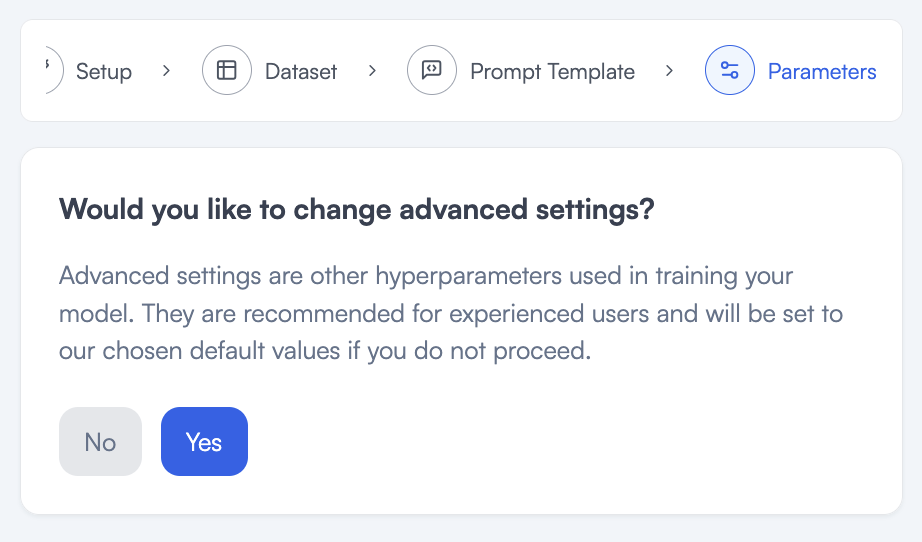
I do not need to look at advanced settings for this training so I will say No on this page.
I can now review my cost and submit.

Once I see my training info go from 25% to 100%, I can test my model in the playground.
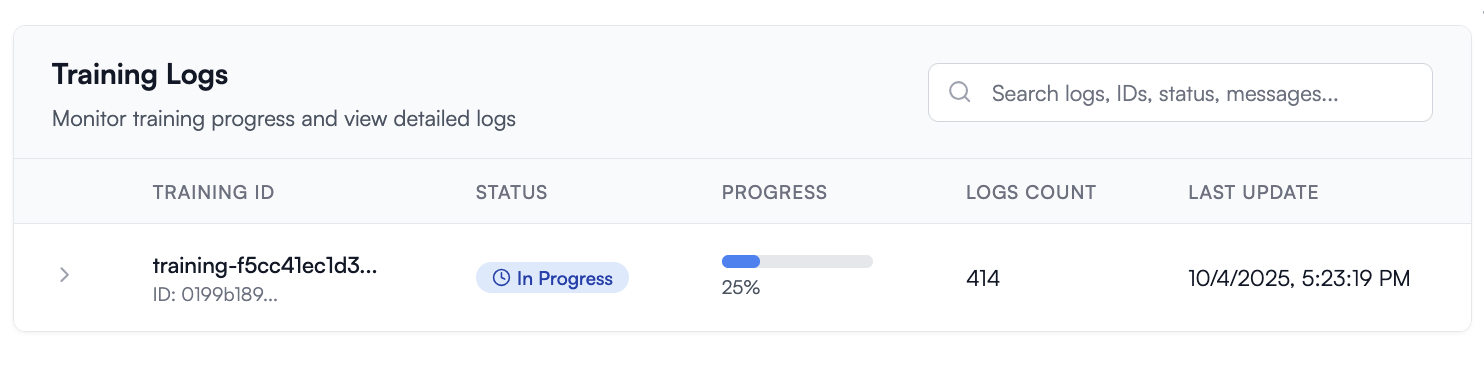
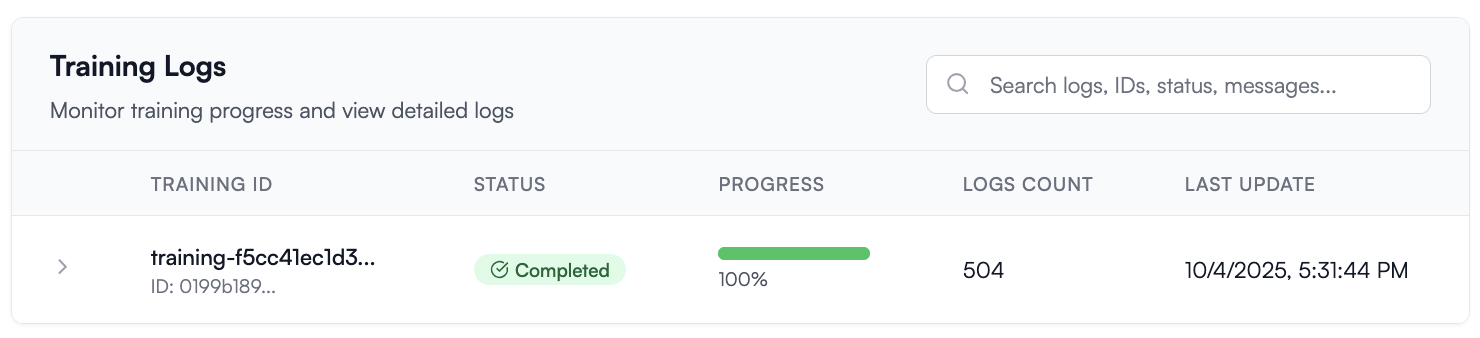
You may notice we were quoted about 5 minutes runtime and we see 8 minutes in the logs above, this is because the quote and cost only count the time spent tuning the model, and not the time spent downloading the dataset and loading the model for tuning.
Now I can check in the playground if the model learned correctly.
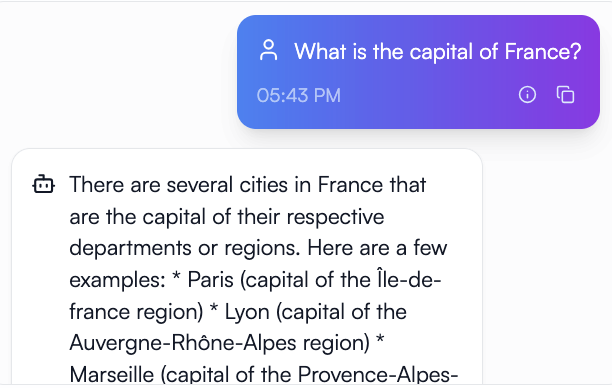
It seems like we had no effect, but remember we have to use all those special characters and the very rigid format in our tuning prompt. Those are like secret words to reactivate what the model learned. You could think of it like we are using those secret words to activate learning mode and now we need to use those again to activate test taking mode or to recall what it learned in training. Most chat engines let you hide these behind the scenes in your system prompt so the user can still chat with it and never have to know these special tokens.
Let’s see the results if I use this prompt in the playground:
<|begin_of_text|><|start_header_id|>system<|end_header_id|>
You are a helpful assistant.<|eot_id|>
<|start_header_id|>user<|end_header_id|>
What is the capital of France?<|eot_id|>
<|start_header_id|>assistant<|end_header_id|>
Notice the last part with the answer or the first_letter column is gone, that is because it is time for the model to generate that on its own with no help. We are in the real world now and deployed to users.
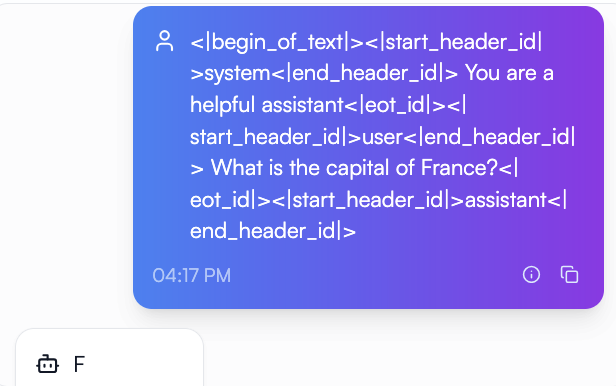
Our model did not memorize the data because it knows what to do on inputs its never been trained on.
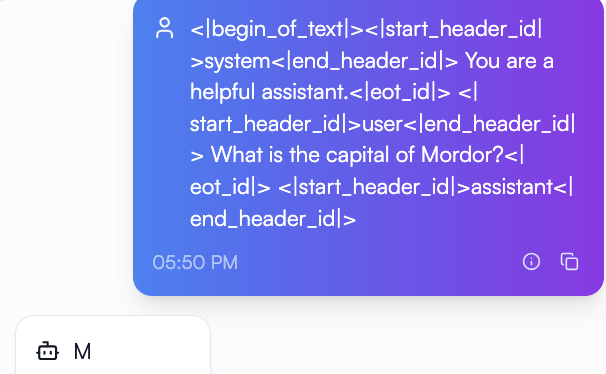
We taught a model to find the first capital letter in a word without explicitly prompting it to. We also changed the definition of capital quite a bit. How is this useful?
We shifted the domain of a known word and the behavior of a straightforward question. If you work in an industry with crossover words or jargon, we could use these same concepts to shift a model to answer in your domain to your target audience. Your employees need to know what version of form C7 to file if form D8 just came in with missing fields in box E. While your customer wants to know what they get for the platinum plan if they have been with you for 6 years versus 2. Different small models could learn these domains and talk to employees or clients in the way they need.
Or let’s say you have a workflow with an LLM in the middle. You send customer reviews to the workflow and through a long complex prompt, the length of which costs you extra money every time, you learn 5 metrics and pipe them to different aspects of your database. You could teach a small model that workflow and it would know what to do every time you gave it the special characters around a customer review, no long prompt required.
Contact NOLA-AI if you have questions about your own data and use cases for a custom small language model, tuned cheaper and more efficiently with our ATōMIZER product.
https://www.nola-ai.com/atomizer
Or get started today if you already recognize how useful ATōMIZER is for your data.

